
Content writing for beginners starts with learning how people actually read online: quickly, impatiently, and usually on a phone.
If you are exploring content writing for beginners, the very first thing you need to do is unlearn how you write university essays.
When I first started NaqVentures, I wrote my blog posts the same way I wrote my master’s assignments: long paragraphs, complex vocabulary, and burying the main point at the very end. The result? People clicked away within seconds. I quickly realized that writing for the internet is a completely different skill than writing for a professor.
Whether you want to start a blog, post on LinkedIn, or get a digital marketing job, this guide will show you exactly how to adapt your writing for an online audience.
If you are also learning online skills, my guide on digital marketing skills for students explains which beginner skills are worth building first.
Quick Answer
Writing for the internet requires clarity, speed, and scannability. Unlike academic essays where you build up to a conclusion, web content requires you to give the answer immediately and then explain the details. To keep readers on the page, you must use short paragraphs (2 to 3 sentences), simple vocabulary, clear H2 and H3 headings, and bulleted lists. Always write conversationally, addressing the reader directly as “you.”
Academic Writing vs Web Writing
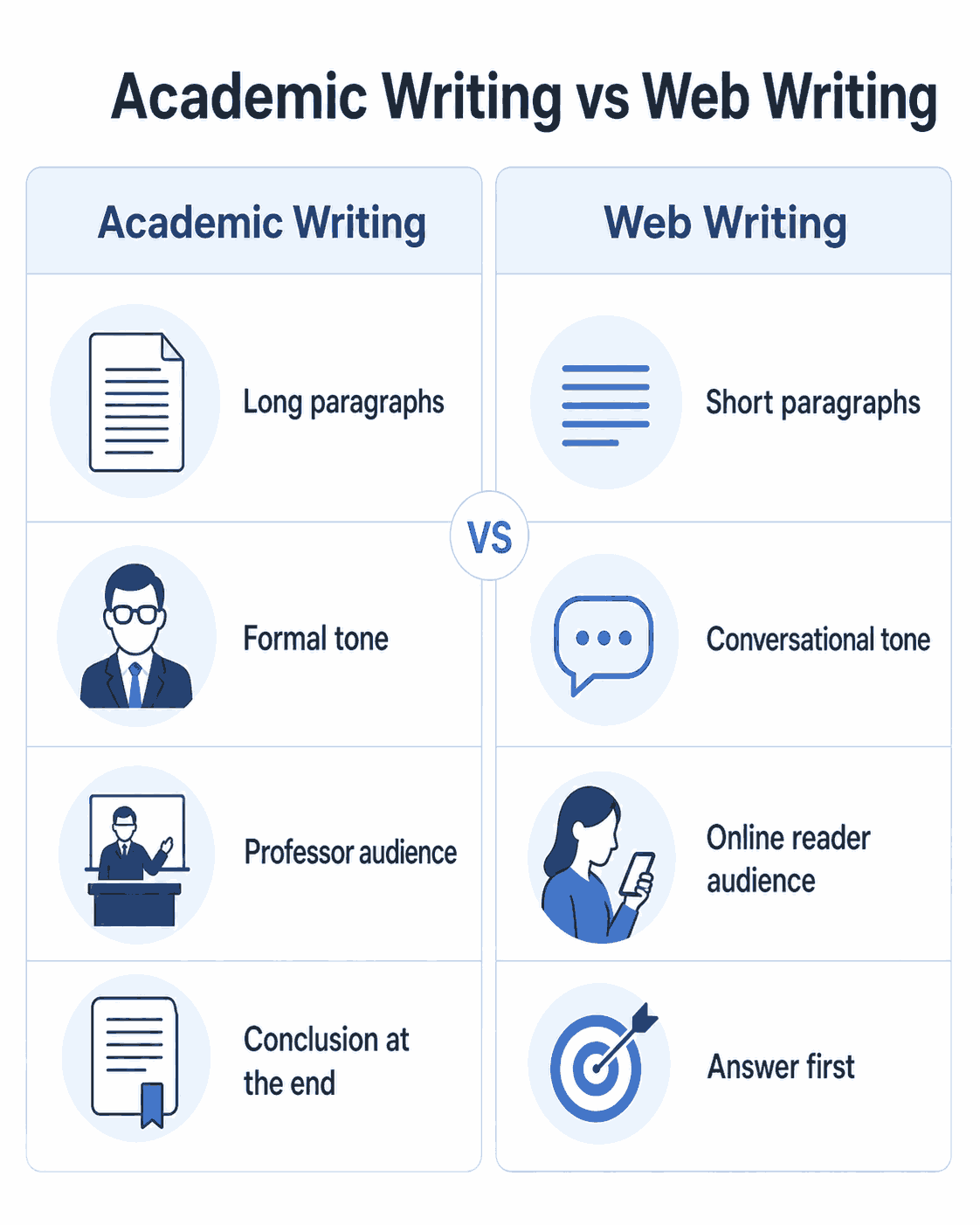
The biggest hurdle for students is making the mental shift between school writing and internet writing. This shift also matters if you are learning SEO, because search content needs to answer real questions clearly. Here is exactly how they differ:
| Feature | Academic Writing | Web Writing |
| The Audience | Your professor (who is paid to read it) | A stranger on their phone (who will leave if bored) |
| The Goal | To prove you did the reading and sound smart | To solve the reader’s problem as fast as possible |
| The Structure | Introduction → Evidence → Conclusion | Answer → Context → Actionable Details |
| Paragraph Length | 5 to 10 sentences | 1 to 3 sentences max |
| Tone & Voice | Formal, third-person (“This paper will explore…”) | Conversational, first/second-person (“Here is how you can…”) |
Real Example: The Intro Rewrite
The Academic Way: “The proliferation of digital marketing necessitates a comprehensive understanding of Search Engine Optimization. Consequently, individuals seeking to establish a digital presence must familiarize themselves with algorithmic preferences.” (Boring, dense, hard to skim).
The Web Way: “If you want to build an audience online, you need to understand SEO. Here is exactly how to make Google love your website.” (Punchy, direct, easy to read).
The 5 Rules of Content Writing for Beginners
Once you understand why web writing is different, you can start applying these five core rules to everything you publish online.
1. Put the Answer First (The Inverted Pyramid)
In university, you write a long introduction, present evidence, and drop your conclusion at the very end. On the internet, you do the exact opposite. Give the reader the most important information immediately. If they want the deep dive, they will keep scrolling.
2. Write Like You Speak
The best online content feels like a conversation with a smart friend in a coffee shop. Do not use words like “furthermore” or “utilize” when “also” and “use” work perfectly fine. Read your drafts out loud; if it sounds awkward to say, it will be awkward to read.
3. Talk Directly to “You”
Avoid passive voice or addressing a general crowd. Use the word “you” to speak directly to the reader. It builds an immediate connection and makes your content feel customized to their specific problem.
4. Optimize for the “Scanner”
Nobody reads online content word-for-word. They scan the page to see if it is worth their time. Break up your text using bold fonts for key concepts, bullet points for lists, and plenty of white space.
5. Focus on the Reader’s Problem, Not Yourself
Unless you are writing a personal diary, every piece of content should serve the reader. Even when sharing a personal story, tie it back to a lesson the reader can use.
How to Plan a Piece of Web Content Before Writing
A lot of beginner writers make the same mistake: they open a blank document and start writing immediately. That works sometimes, but it usually leads to messy structure, repeated points, and weak introductions.
Before writing anything for the internet, you should know three things:
Who am I writing for?
What problem am I solving?
What should the reader do after reading?
If you cannot answer these three questions, your content will probably feel unfocused.
For example, “content writing tips” is too broad. But “content writing tips for students who want to start blogging” is much clearer. Now you know the audience, the problem, and the level of explanation needed.
A simple planning process looks like this:
First, write the main question your article answers. Then write the quick answer in 2 to 4 sentences. After that, list the main sections the reader needs to understand the topic properly.
This stops you from adding random information just because it sounds useful. Good web writing is not about saying everything. It is about saying the right things in the right order.
For beginners, I recommend planning your article like this:
– Main topic
– Target reader
– Reader’s problem
– Quick answer
– Main sections
– Practical example
– Common mistakes
– Final advice or next step
This planning step may feel slow at first, but it usually makes the writing faster. Instead of thinking about structure while writing, you already know where each idea belongs.
A Simple Content Writing Template for Beginners
If you are new to online writing, templates can help you avoid overthinking. You do not need to follow the same structure forever, but using a basic format gives your article a clear shape.
Here is a simple beginner-friendly structure:
- Title: Make the topic and benefit clear.
- Introduction: Explain the problem and promise what the reader will learn.
- Quick Answer: Give the main answer immediately.
- Main Sections: Break the topic into clear parts using H2 and H3 headings.
- Examples: Show what the advice looks like in real writing.
- Common Mistakes: Warn the reader about what to avoid.
- Final Verdict: Summarize the main lesson and give the reader a next step.
This structure works because it matches how people read online. They want to know quickly whether your article is useful. If your title, intro, headings, and quick answer are clear, they are more likely to stay.
For example, if you are writing an article called “How to Start Blogging as a Student,” your structure could look like this:
- Quick Answer
- Why Blogging Is Useful for Students
- How to Choose a Blog Topic
- How to Write Your First Blog Post
- Common Beginner Blogging Mistakes
- Final Verdict
- FAQ
This is simple, but that is the point. Beginner writers often make content harder than it needs to be. A clear structure is better than a clever structure that confuses the reader.
How to Write an Intro That Keeps Readers Reading
Your headline gets them to click, but your intro gets them to stay. If your first paragraph is a massive wall of text, you will lose them.
A great web intro does three things quickly:
The Hook: Validate why they clicked. Address their pain point immediately.
The Empathy: Show them you understand their frustration (e.g., “I used to struggle with this too…”).
The Promise: Tell them exactly what they will get by reading the rest of the page (e.g., “In this guide, I will show you…”).
Formatting Basics for Online Content
Formatting is just as important as the words themselves. If your page looks heavy, people will leave.
Use H2 and H3 Headings: Break your article into logical sections. A reader should be able to understand the entire summary of your article just by reading the subheadings.
Google’s SEO Starter Guide also recommends creating helpful, well-organized content that makes pages easier for users to understand.
Keep Paragraphs Short: Aim for 2 to 3 sentences per paragraph. On a mobile phone screen, a 4-sentence paragraph looks like a massive wall of text.
Use Bold Text Strategically: Highlight the most important phrases so scanners can pick up your main points without reading the surrounding fluff.
How to Make Your Writing Sound More Human
One problem with beginner content is that it often sounds either too academic or too robotic. The writer is trying so hard to sound correct that the article loses personality.
Human writing does not mean messy writing. It means the reader can feel that a real person is guiding them. A simple way to make your content sound more human is to use natural transitions. Instead of jumping from one point to another, explain why the next point matters.
For example, instead of writing: “Use short paragraphs. Add headings. Use bullet points”. You could write: “Once your main idea is clear, the next step is making the page easy to read. That is where formatting matters.”
The second version feels smoother because it connects the ideas. You can also add small personal observations where they help the reader. For example: “When I started writing online, I thought longer paragraphs made me look serious. In reality, they made the article harder to read.”
That kind of sentence adds experience without turning the article into a diary.
Before publishing, read your article out loud. If a sentence sounds strange when spoken, it will probably feel strange when read. Good content writing should sound like a clear explanation, not a university assignment or an AI-generated answer. You can also check readability with the Hemingway Editor, but use it as a guide rather than blindly accepting every suggestion.
How to Edit Your Content Before Publishing
Writing the first draft is only half the work. The real improvement usually happens during editing.
When you finish a draft, do not publish it immediately. Read it once like a writer, then read it again like an impatient reader. Ask yourself: would I keep reading this if I found it on Google?
Start by cutting anything that does not help the reader. Beginner writers often keep weak sentences because they spent time writing them. But online content needs to move quickly. If a sentence does not explain, clarify, prove, or guide, remove it.
Then check your paragraphs. If a paragraph looks heavy on mobile, split it. A paragraph that feels normal on a laptop can look too long on a phone.
Next, check your headings. Your headings should not be vague labels. They should tell the reader what the section is about. For example, “Writing Tips” is weak. “How to Write an Intro That Keeps Readers Reading” is stronger because it gives a clear promise.
Also check your examples. A good example can make basic advice feel practical. Instead of only saying “write clearly,” show a bad sentence and a better version.
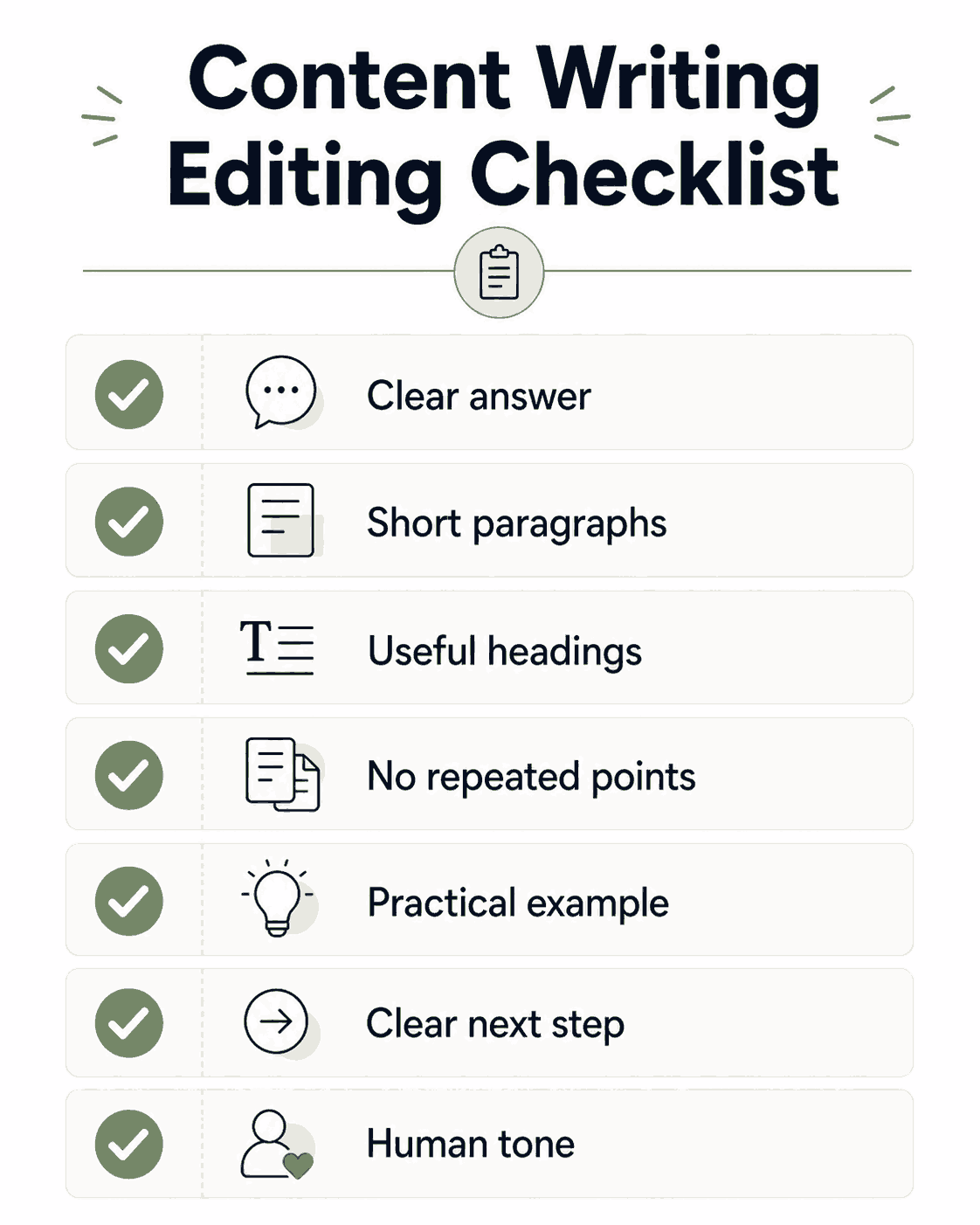
Before publishing, use this editing checklist:
– Is the main answer clear in the first few lines?
– Are the paragraphs short enough for mobile readers?
– Can someone understand the article by scanning the headings?
– Did I remove repeated or unnecessary points?
– Did I include at least one practical example?
– Is there a clear next step at the end?
– Does the article sound like a helpful person, not a textbook?
Editing is where your content starts to feel professional. Most beginner content is not bad because the topic is bad. It is bad because the writer stops too early.
Common Mistakes Student Writers Make Online
Mistake 1: Trying to sound too academic. Using big words doesn’t make you look like an expert online; it just makes you hard to read. Simple is always better.
Mistake 2: Burying the lead. Do not make the reader read 500 words of background history before you answer their question.
Mistake 3: Forgetting the CTA. Never let a reader reach the bottom of your page without telling them what to do next (leave a comment, read another post, or sign up for an email list).
Beginner Final Verdict: Is Content Writing Worth Learning?
Mastering content writing for beginners is mostly about developing empathy for how tired and impatient internet readers are. If you format your writing to be scannable, use simple language, and focus on solving a problem, you are already ahead of 90% of beginner writers.
Content writing is one of the most valuable digital skills you can build, whether you are doing it for yourself or eventually getting paid to do it for a brand.
Want to steal my exact writing format? Leave a comment below with your biggest writing struggle, and make sure to subscribe to the NaqVentures email list so you don’t miss my upcoming free Content Writing Style Guide template!
FAQ
What is content writing for beginners?
Content writing for beginners means learning how to write clear, useful, and scannable online content for blogs, websites, social media, and digital platforms. The goal is not to sound academic. The goal is to solve the reader’s problem quickly and keep them engaged.
How long should a beginner blog post be?
There is no perfect length, but a good rule of thumb for beginners is 1,000 to 1,500 words. This is long enough to provide real value and rank well on Google, but short enough that you won’t get overwhelmed writing it.
Is Grammarly good for content writing?
Yes, tools like Grammarly are excellent for catching typos and grammar mistakes. However, do not accept every suggestion blindly. Sometimes Grammarly tries to make your writing too formal, which can ruin your conversational tone.
What is the difference between copywriting and content writing?
Content writing is designed to educate, inform, or entertain an audience (like this blog post). Copywriting is writing designed specifically to make someone take a direct action, like buying a product, clicking a button, or signing up for a service.
Can I use AI to write my content for me?
You can use AI tools like ChatGPT to outline ideas, suggest better headlines, or fix awkward sentences. However, copying and pasting entire AI-generated articles is a bad idea. They often sound generic, lack personal experience, and struggle to engage human readers.
Related Guides
If you want to take your new writing skills to the next level, check out these related guides on NaqVentures.
– Digital Marketing Skills for Students
– What Is SEO for Students?
– AI Automation for Students

Noman Ali is a student and beginner digital skills writer behind NaqVentures. He writes practical guides about AI tools, automation, SEO, blogging, and student productivity based on real learning, testing, and beginner-focused workflows.